gozen
GoZen Translations 🌍
Translations for GoZen are community maintained, contributions to help making GoZen more accessible to a wider audience are always appreciated. This document outlines the current status of translations and how you can help with contributing.
For the localization system we use Gettext PO files.
Language status
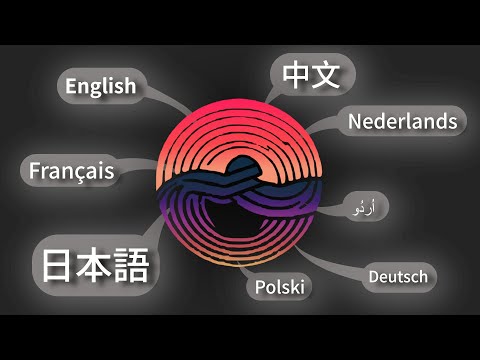
Actively maintained languages ✅
| Language | Code | Maintainer(s) |
| ——————— | ——- | ——————————————- |
| English (Source) | en | Voylin |
| Chinese (Traditional) | zh_TW | aappaapp |
| Chinese (Simplified) | zh_CN | XuanTong |
| Dutch | nl | Voylin |
| Spanish | es_ES | Dekotale |
| French | fr_FR | Slander, #Guigui |
| German | de | flipdp |
| Japanese | ja | Voylin |
| Urdu | ur_PK | AdilDevStuff |
Languages needing maintainers ⚠️
| Language | Code | | ——————– | ——- | | | |
This list of languages is from entries which have been made but don’t have any active maintainers anymore.
How to contribute 🛠️
To start contributing, you’ll have to fork this repository and create a new branch called something like language-*language-code*-update (for example, language-uk_UA-update when you updating existing translation or language-uk_UA-addition when you adding new one).
After you are done creating/editing the po file you can create a pull request, after which we will check and merge it when approved.
Adding new translation
When adding a new translation, open the translations_template.pot file, located in src/translations/, with Poedit. On the bottom you’ll see a button to add a new language. Type in the language code and you are good to go to add the translations.
Be certain that you work with the latest version of the template file and that the language of your choice hasn’t been added yet. A small tip for people using Poedit, after creating the file, close it and open the po file directly with Poedit as a message will popup allowing you to load the English po file to know what the original text is as the message ID’s are abstract and may not always give a clear idea of what text should be there.
After adding a new language, open the GoZen project and in project settings under the localization tab click Add... and select your newly created po file. The language should automatically be available in the Settings menu inside of GoZen.
Almost finished adding a new language, final thing to do is checking the localization.gd script to see if the language code is already present or not. Same for the country code if you added a country code. If they aren’t present, add them in the native language. This makes choosing the language more accessible to people who may not know how their language is written in English and can make it more convenient for people to find their own language in the list of languages to choose from.
Updating an already existing translation
Open the po file of the language you want to edit. You can find a list of language codes here in the Godot docs. When uncertain about a specific translation you can mark it as “Needs work”, this allows other translators te see and check if your translation is correct or not.
Steam localizations
For the Steam page you can, but don’t have to, complete the localization by looking at BASE.md inside of the steam folder.